Designs
Five designed templates for each of your three public surfaces, plus a Custom card that lets you compose your own. Pick per surface, preview with your own content, change your mind whenever.
Each design tab shows a rail of designs as small sketches, plus a Custom card at the end. Clicking one saves it immediately — there is no separate save.
Each card has its own Preview, which shows that design with your real content without changing what is live.
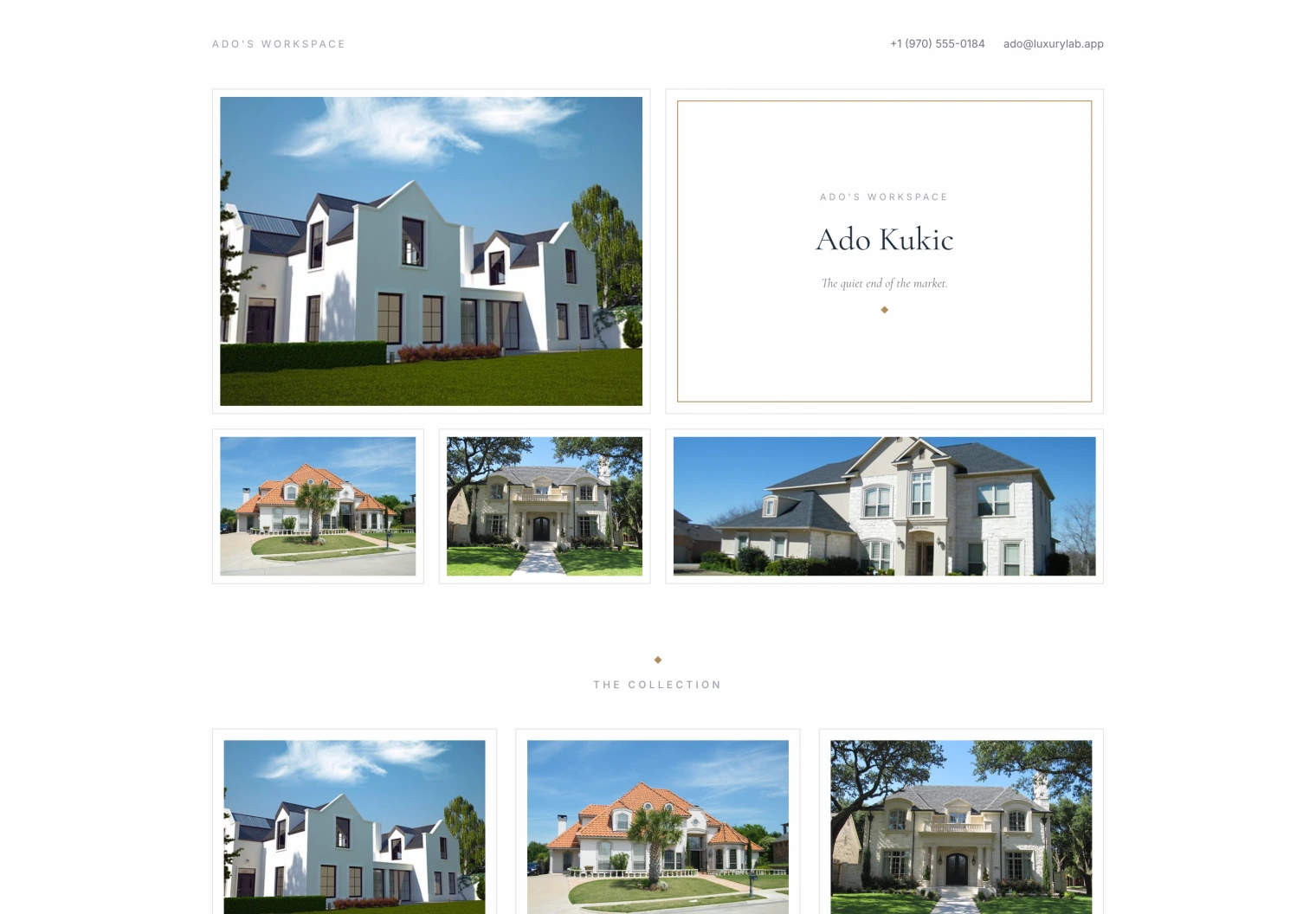
The landing designs
| Atelier | Quiet, editorial, restrained |
| Estate | Classic and formal |
| Folio | Portfolio-forward, the work first |
| Salon | A gallery wall of photographs around a central plate, with listings styled like museum labels |
| Vitrine | A sticky full-height panel painted in your primary colour, listings scrolling beside it |
| Custom | Composed block by block. Signature |
Vitrine reads your brand colour and picks the ink that stays legible on it, so it works whether your primary is near-black or pale gold.
The listing designs
The design every listing page wears:
| Signature | The original — balanced and quiet |
| Penthouse | Dark, cinematic |
| Manor | Classicist, columns and plates |
| Ledger | A masthead and a specification table |
| Veranda | Editorial bands |
| Custom | Composed block by block. Signature |
One choice covers every listing. Individual listings do not each pick a look — that is what keeps a portfolio looking like one portfolio.
The contact designs
Card, Split, Panorama, Letterhead, Atrium, or Custom. Every one of them carries a real enquiry form that files a contact in your book.
The contact page is live whenever your site is published.
Mixing them
The three surfaces are independent on purpose. A bright Salon landing page above dark Penthouse listing pages is a legitimate, and rather good, combination.
Asking Elle
Put my site on Salon.
Switch the listing pages to Penthouse.
She can also change the tone and rewrite the copy on a custom composition. On a fixed design she will tell you the section edits do not apply rather than silently switching your design.
Previewing
Website → Preview renders the saved site. Individual design cards preview that design without saving.
Preview is the right way to look at your own site before publishing — the public address deliberately returns “not found” until you publish.