The builder
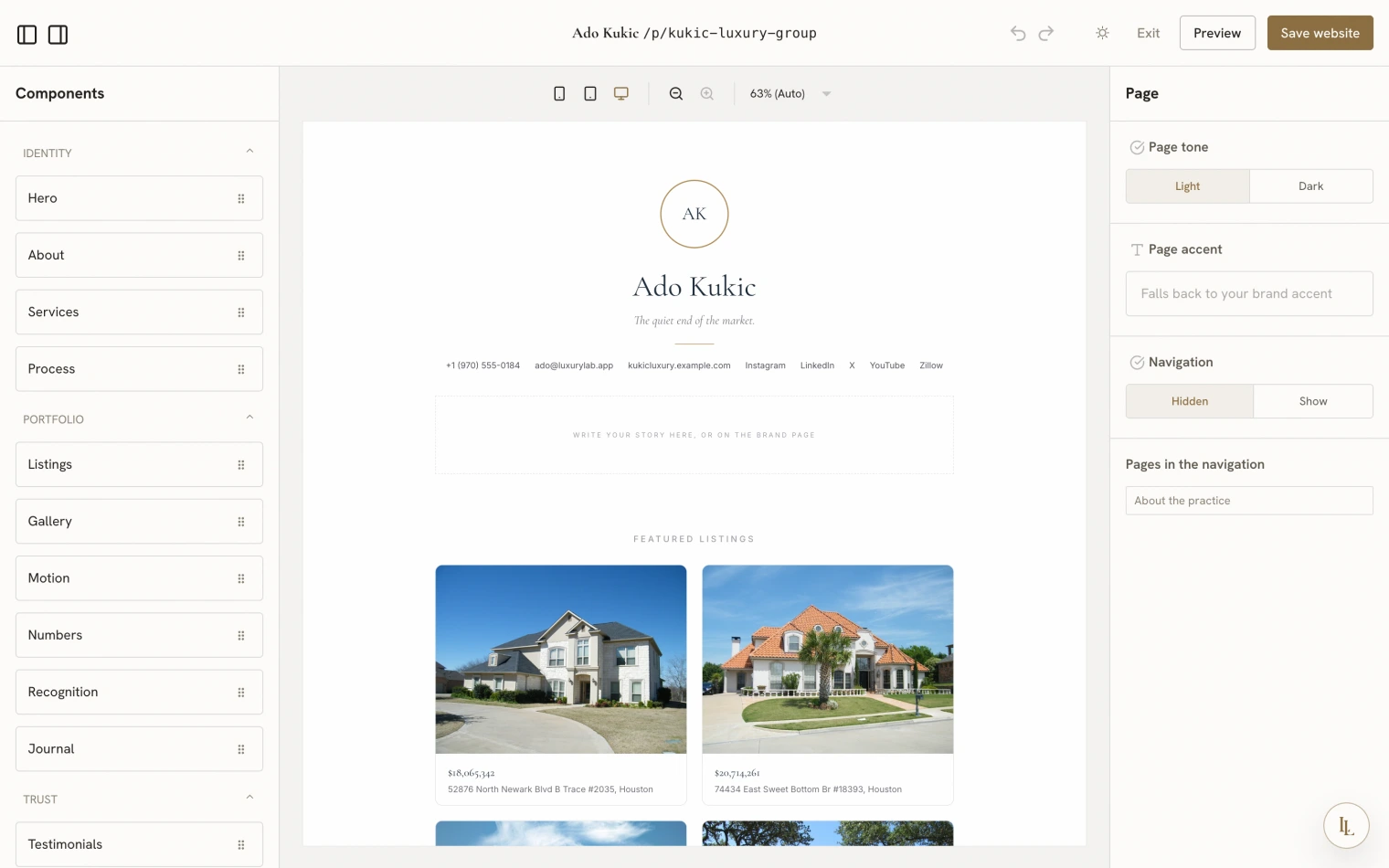
Compose a page block by block — hero, gallery, testimonials, an enquiry form, and about twenty more. Drag them into the order you want and watch it render as you go.
The visual builder is part of custom design, included with the Signature membership. On other plans the Custom cards show an upgrade pointer instead of opening the builder, and the fixed designs continue to work exactly as before.
Opening it
On any design tab — Landing, Listing, or Contact — click the Custom card. The builder fills the window.
Composing is choosing: saving a composition also switches that surface to Custom. You do not have to do both.
The blocks
Around twenty-two for a landing or custom page:
- Hero — three shapes: monogram, cinematic, masthead
- About, Text, Image, Divider
- Listings — grid, rows, or an index
- Gallery — two or three columns of photographs
- Stats, Accolades, Services, Process
- Testimonials, Quote
- Enquiry — a real lead-capture form
- Contact, Call to action
- Blog — your latest blog posts with a link to the index
On a listing composition there are five more that only make sense there: listing hero, facts, description, gallery, and enquiry.
Working in it
Drag blocks in from the palette, reorder them, and edit their fields in the side panel. The preview is the real thing — the same components your visitors will see, with your actual brand, listings and photographs.
Leave a field blank and it falls back to your brand value. That is the intended way to work: fill in only what should differ.
The chrome
The builder wears the app’s own theming, so it re-lights with your chosen room. The preview panel deliberately does not — it shows your brand’s palette, because that is what visitors will see.
Its header carries a theme toggle, Exit, Preview, and Save.
Elle edits the same document
Add a testimonials section.
Move the gallery above the listings.
Make the tone warmer.
She and the builder edit the same composition — there is no separate “AI version”. Open the builder after asking her and her changes are there.
Starting points
The Custom card starts from a sensible composition rather than a blank page — for listing pages, a mirror of the Signature design. Rearranging something is easier than starting from nothing.