The Studio
A blank canvas where you place anything you like — type, photographs, shapes, a QR code — in your brand’s colours and typefaces. Elle composes the first draft; you move it around until it is right.
The Studio makes the pieces your listings do not: the just-listed post, the open house invitation, the flyer for the door, the seasonal note, the market minute, the business card. Every piece wears your brand automatically.
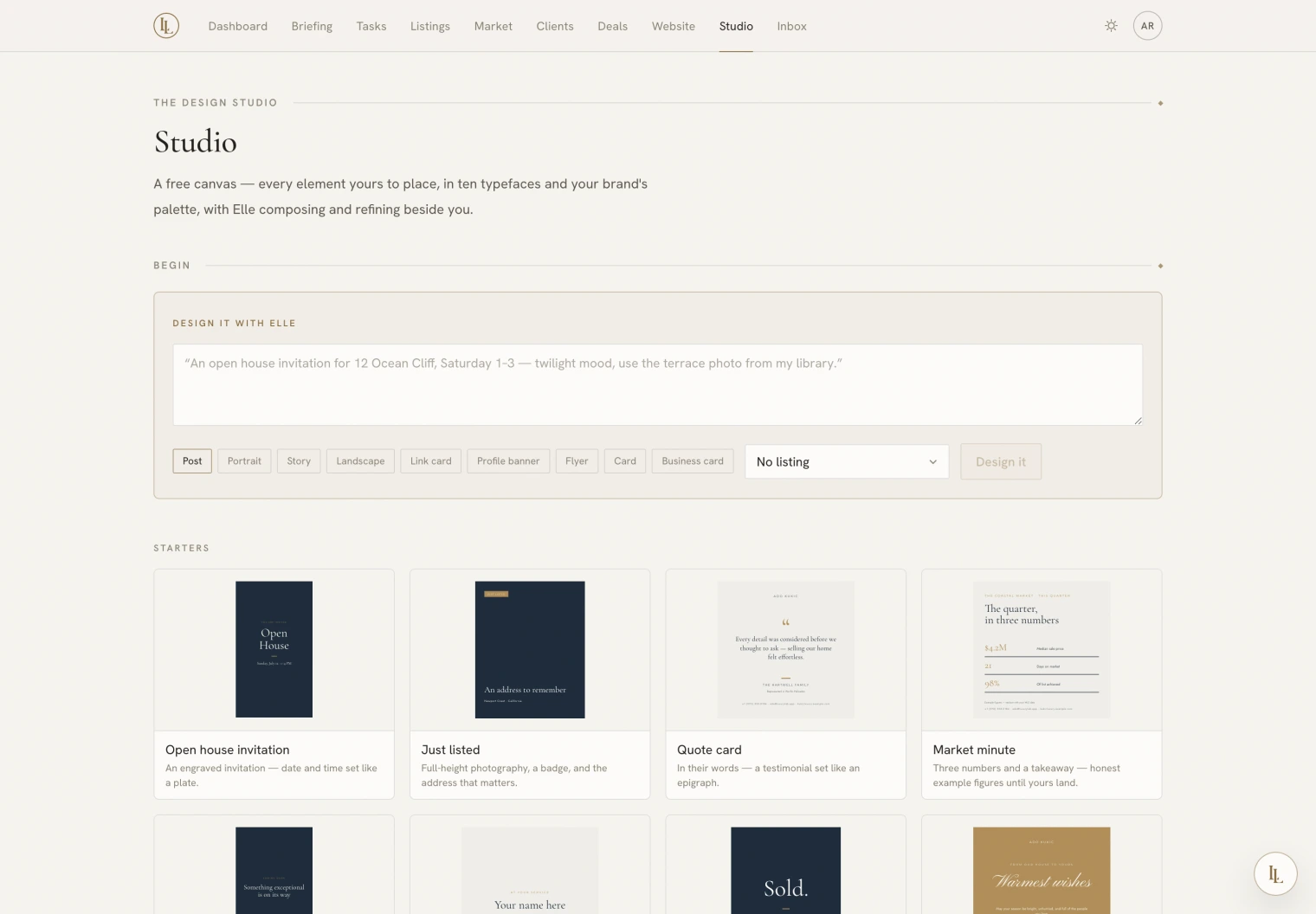
Three ways to begin
- Describe it. Type what you want in the box at the top — “An open house invitation for 12 Ocean Cliff, Saturday 1–3, twilight mood, use the terrace photo from my library.” Pick a size, pick a property if it has one, and press Design it. Elle composes the whole piece.
- Start from a starter. The shelf below the box holds designs that are already laid out — just listed, sold, coming soon, quote card, market minute, seasonal greeting, listing flyer, buyer’s guide, business card, and more. Pick one and it opens as yours to change.
- Start from nothing. A blank canvas, if you would rather place everything yourself.
Or ask Elle from anywhere:
Make a just-listed post for Ridgeline.
Design me a market minute card for the Heights.
Attaching a property
Choosing a property before you begin does three useful things:
- Its photographs come into the picker, so you are never hunting for them.
- The price, address and specifications can be read from the property itself — change the price on the listing and the piece changes with it.
- The QR code knows where to point.
A starter plus a property is the fastest route to something finished: the empty photo frames fill from that property’s own gallery the moment the piece opens.
A starter never arrives with a stock photograph standing in for a house. When a piece is attached to a property, that property’s own pictures are the only ones used. See Photographs.
Sizes
Pick the size when you begin, and change it any time afterwards.
| For the screen | For paper |
|---|---|
| Post — 1080 × 1080 | Flyer — Letter, 8.5 × 11 in |
| Portrait — 1080 × 1350 | Card — 5 × 7 in |
| Story — 1080 × 1920 | Business card — 3.5 × 2 in |
| Landscape — 1350 × 1080 | |
| Link card — 1200 × 628 | |
| Profile banner — 1500 × 500 |
Print sizes are set at the real dimensions, so a flyer comes out of the printer at Letter and a card at 5 × 7 — not near enough.
One brief, a whole launch
On a listing’s Marketing tab, Launch kit composes a matching set in one go — a hero for social, a story, a flyer, a postcard, and an email header — all from the same brief and all wearing the same look. They arrive as separate pieces you can edit individually, marked as a launch set.
If one of the five fails, the other four still arrive and the app says which one did not. You are never handed a set that is quietly short.
What is on the page
| Section | Holds |
|---|---|
| Begin | The brief box, the sizes, and the property picker |
| Starters | Ready-made designs to open and change |
| Your starters | Designs you saved as a starting point of your own |
| Your canvases | Everything you have made |
| Earlier pieces | Work from the older studio — see below |
| Image library | Your own photographs |
| The Collection | Licensed photography anyone here can use |
If you used the Studio before it became a canvas, your old pieces are still here and still yours. Each one offers Rebuild — Elle re-composes it as a canvas, carrying its own words across — or Delete. Nothing was thrown away and nothing was rewritten behind your back.