Comparable sales
Describe a property, and the app pulls what sold nearby and works out what those sales support. Save it and you have a document to hand a seller.
Market → Comparable sales.
Running comparables
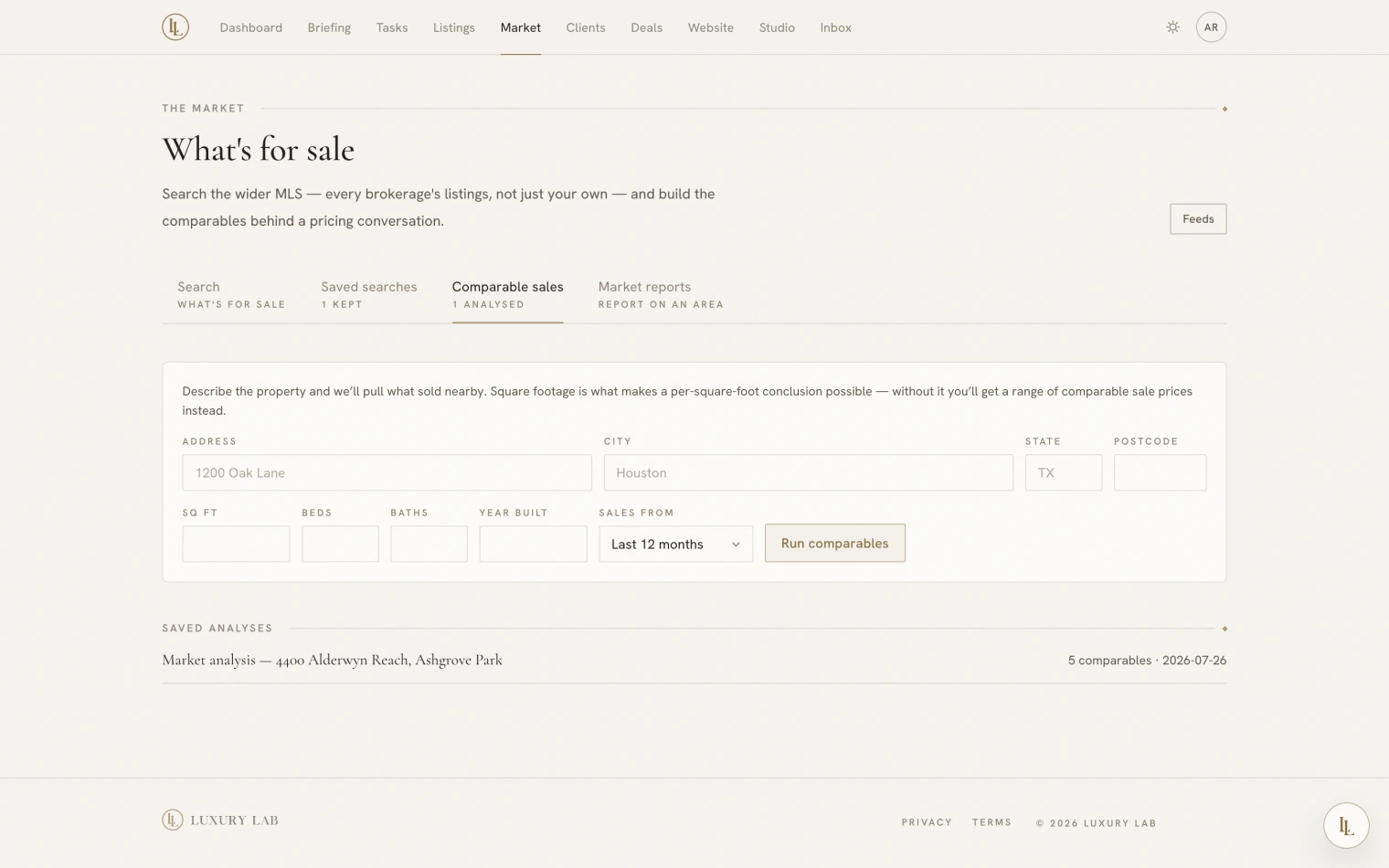
Fill in the property — address, city, state, and as much of the rest as you know — pick how far back to look, and press Run comparables.
Square footage is the field that matters most. With it, the app can work out a per-square-foot conclusion. Without it you get a range of what similar homes sold for, which is useful but blunter.
Or ask:
Run comps on 4400 Alderwyn Reach — fifty-two hundred square feet, five beds.
How a comparable is chosen
Sales are weighted on how close they are to your property: distance first, then size, then age, beds, baths, and how recently they sold. A sale missing a fact is judged on the facts it does have rather than punished for the gap.
Each comparable comes back with why it was chosen and what is wrong with it — 27% smaller, 3 beds against 5, sold ten months ago, Condo, not Single Family. A comparable set with no stated weaknesses is a pitch, not an analysis, so the weaknesses are always printed.
The number
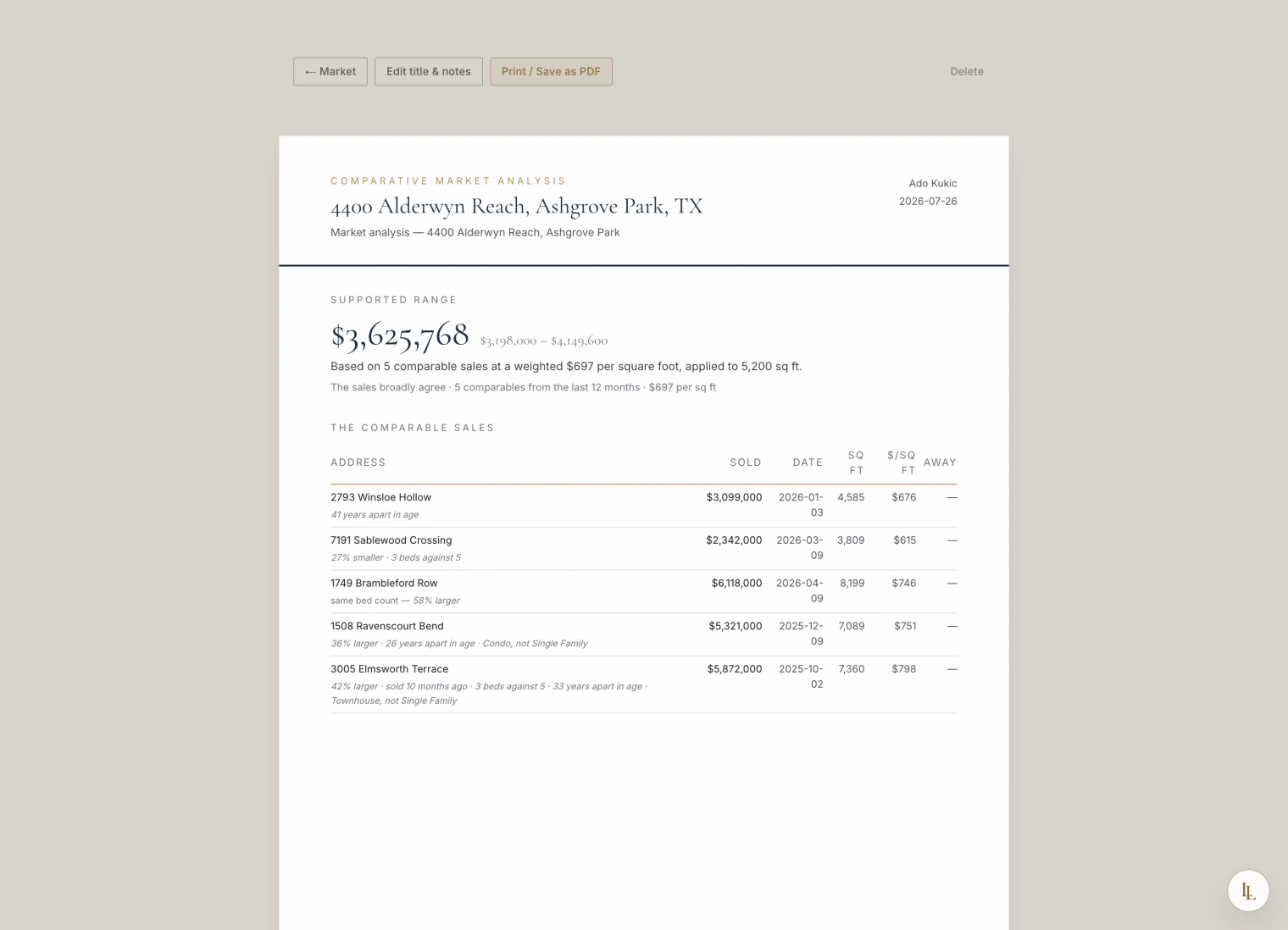
The figure is worked out by the app, not written by Elle. Elle reads it back to you; she never produces a valuation of her own, rounds it, or improves it. That is the single most important rule on this page.
Three things can come back:
| What you get | When |
|---|---|
| A supported range, with a weighted price per square foot | There is enough usable data |
| A range of comparable sale prices | Fewer than three usable sales, or no square footage |
| No supported range, with the reason in plain words | The feed carries no sale prices, or nothing comparable was found |
The third one is not a failure to hide. If your MLS licence does not include sold data, the report says exactly that.
Saving it
Save keeps the analysis as a document with your name and brand on it, at its own address, ready to print or save as a PDF.
A saved analysis is a snapshot. The comparables and the range are frozen as they were computed. A document you hand a seller must still say next month what the seller was shown — so it does not quietly re-run itself. Only the title, your notes, and the client it is for can be edited afterwards.
Saved analyses are listed on the same tab.
Sold prices are licensed for you and the client you hand them to. They live in the app and in this document. They are never published to your website, and there is no way to put them there.
What tends to go wrong
- “No supported range.” Read the reason. Usually it is either no sold data on your licence, or too few comparable sales in the window — widen the window and try again.
- The range looks too wide. Add the square footage and the year built. The more the app knows about your property, the tighter the weighting.
- A comparable you would not use. Note it in the analysis notes. The comparables themselves are frozen on a saved analysis by design.