Integrations
Connect your calendar and your email so showings and transaction dates land where you already look. Connect an outside CRM if your brokerage requires one.
Account menu → Integrations.
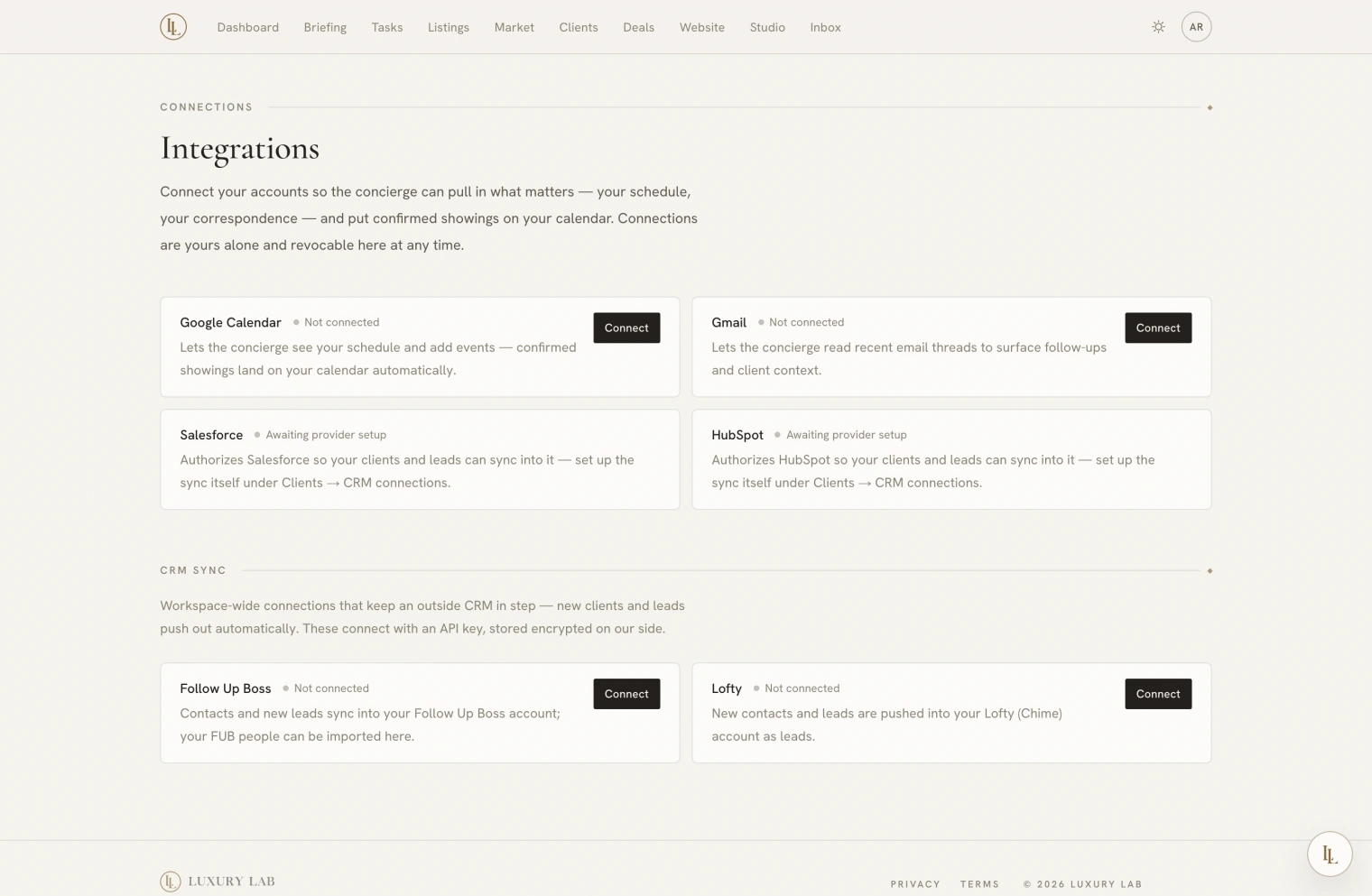
Google Calendar
The one worth connecting first.
Once connected:
- Confirming a showing creates an event with the visitor as an attendee, so they receive a calendar invitation.
- Declining or cancelling deletes it and tells them.
- Transaction milestones appear as all-day events, and moving a date moves the event.
Nothing is read from your calendar for scheduling — your availability comes from the windows you set on the Showings tab, not from your existing appointments.
Early connections were granted read-only access. Writing events needs a fuller permission. If your calendar card shows a reconnect notice, do that — until you do, showings will still be confirmed and clients still notified, but no calendar event will be created.
Reconnecting means disconnecting and connecting again. The connect flow cannot tell an old permission from a new one, so a plain re-press will not change anything.
Gmail
Connect to give Elle read access to your mail so she can answer questions about correspondence.
Held separately from Calendar on purpose: Gmail access is a much more sensitive permission, and keeping them apart means Calendar never waits on Gmail’s approval process.
How connecting works
Press connect and a window opens on the provider’s own consent screen. You approve there; we never see your password. The card updates when it is done.
These are per person. Connecting your calendar connects yours. A colleague in the same workspace connects their own.
Disconnect from the same card.
Outside CRMs
Below the calendar and email cards: Follow Up Boss, Lofty, Salesforce, HubSpot.
Unlike the above, a CRM connection is one per workspace, shared by everyone in it. Owners and admins manage it.
Full detail on Outside CRMs.
If a card says “not configured”
That integration is not switched on for your account yet. It is an expected state, not a fault — nothing else is affected.
What we hold
For calendar and email: nothing. The connection and its tokens are held by our identity provider, and we ask them for access when a request needs it. For key-based CRMs: the key, encrypted, deleted when you disconnect.