Inbox
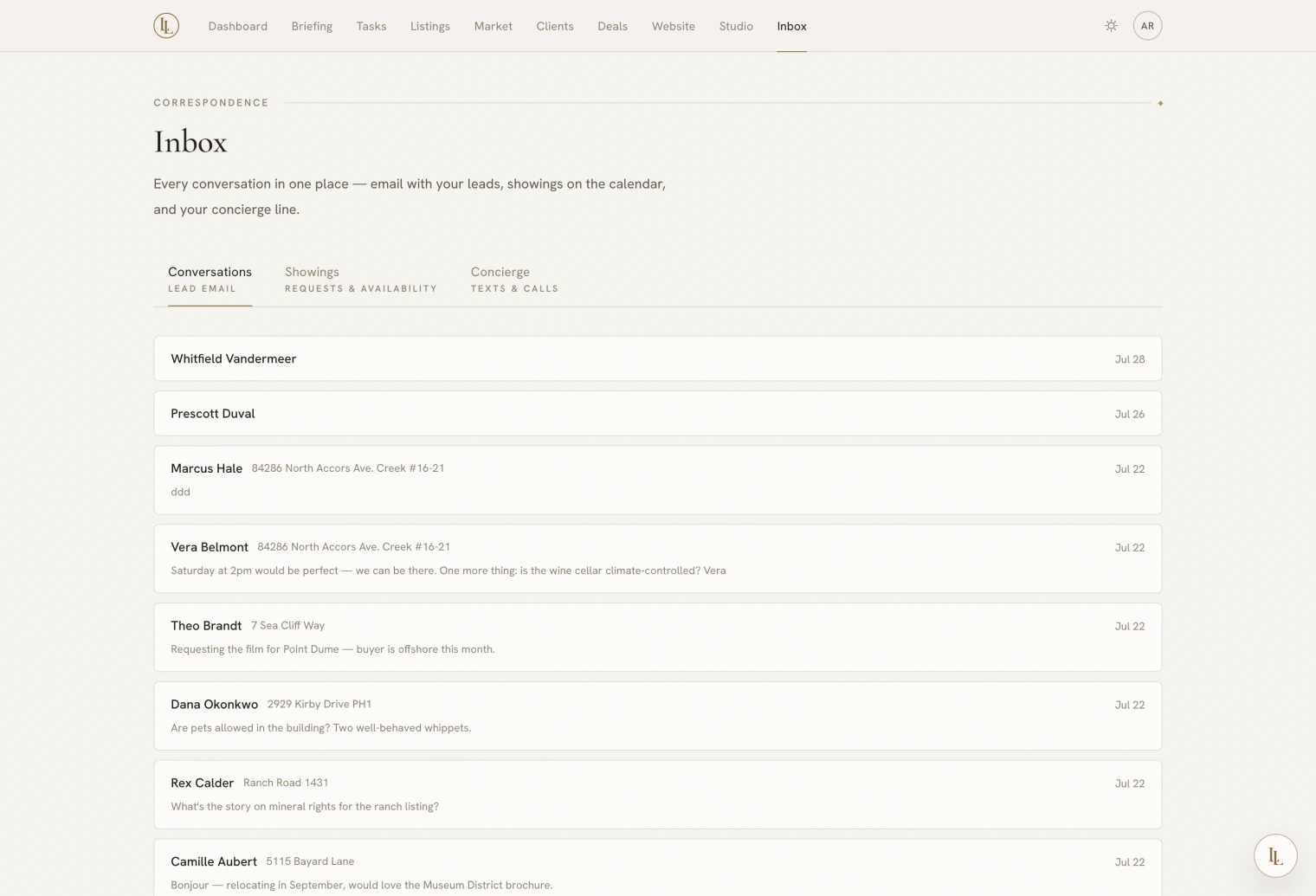
Every conversation with a lead, every showing request, and a record of everything Elle handled by text and phone.
Inbox carries a count when something is unread or a showing is waiting on you.
| Tab | Holds |
|---|---|
| Conversations | Two-way email with your leads |
| Showings | Your availability, requests waiting, and what is booked |
| Concierge | Elle’s texts and calls, each with a summary |
Conversations
One thread per person — the relationship’s record, not one thread per property. A client who enquires about three listings over two years has one conversation.
Threads with something unread since you last looked are marked.
How a thread starts
Anything that brings you a new name seeds one — a website enquiry, an open house sign-in, a lead forwarded from a portal. See Where leads come from.
- An enquiry with a message arrives as their words.
- A blank enquiry — someone who filled the form and pressed send — arrives as a quiet context line: “Requested contact about 14 Ridgewood Lane.”
One thread, several conversations
A thread is the whole relationship, which over two years may hold half a dozen separate exchanges. Opening it shows you the current conversation — the most recent one you or they actually spoke in — with the rest behind a switcher.
Automatic mail and third-party notices do not count as speaking, so a busy inbox history does not bury the exchange that matters. And a reply always answers the conversation you are looking at.
Replying
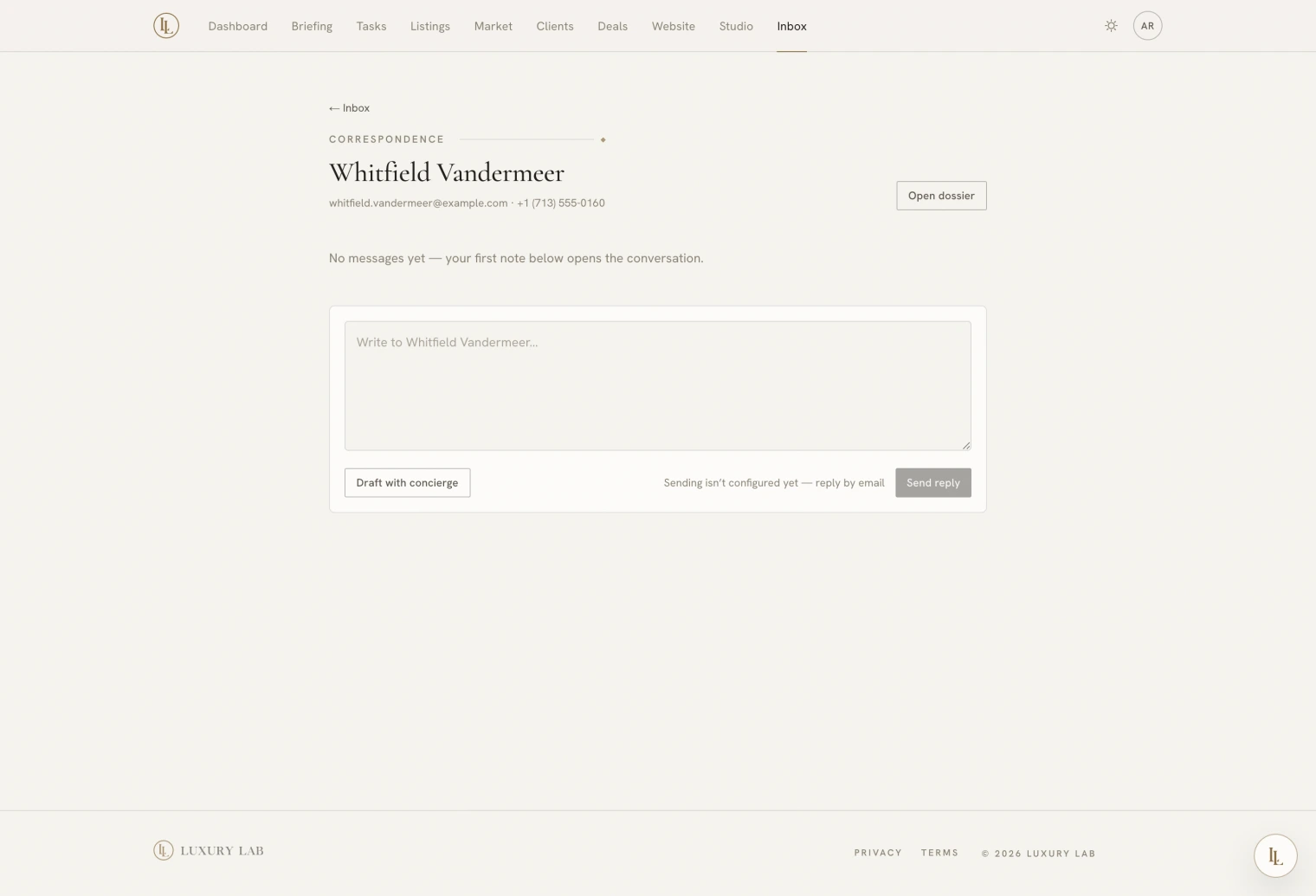
Open the thread. The transcript is above, the composer below. Quoted tails from their email client collapse behind a disclosure so you read what they actually wrote.
Your reply goes out under your name, from an address that routes their response straight back into this thread. To them it is ordinary email; to you it stays in one place.
Opening a thread marks it read.
Drafting with Elle
Draft with Elle in the composer writes a reply and puts it in the box. No drawer opens, and nothing is sent.
She writes it grounded in the whole thread, the client’s file, and any listings the conversation mentions. She deliberately does not read your private notes.
The draft only lands if you have not started typing — your words are never overwritten.
Elle has no ability to send email to a lead, on any channel. Inbound email is untrusted content, and an assistant that could both read it and reply to it unsupervised is a bad idea. She drafts; you read it; you send.
What happened to a message you sent
Messages you have sent carry small marks: delivered, opened, clicked, or bounced.
Read them the way they deserve. A click is a real signal; an open is a soft one — mail clients pre-load images and open counts drift high. A reply is the only unambiguous one.
Two of them do something rather than just say something:
- Bounced. That client is marked as having a bad address, they are skipped by drips and letters until it is fixed, and you get one task about it. Correcting the address clears it, and so does a later message that gets through.
- Marked as spam. They are unsubscribed. Someone pressing that button has told you what they want, and the app does not argue.
Bringing old email in
If you already have years of correspondence with someone in Gmail, open their file and import email history on the Correspondence tab. It reads your own mailbox for messages with that person and files them quietly with their real dates. Mail that already arrived through the app is not duplicated.
It only ever runs when you ask for it.