Finding your way
The navigation, the account menu, the keyboard shortcuts, and how to change the room you are working in.
The top bar
Ten rooms sit across the top. The active one carries a brass line beneath it.
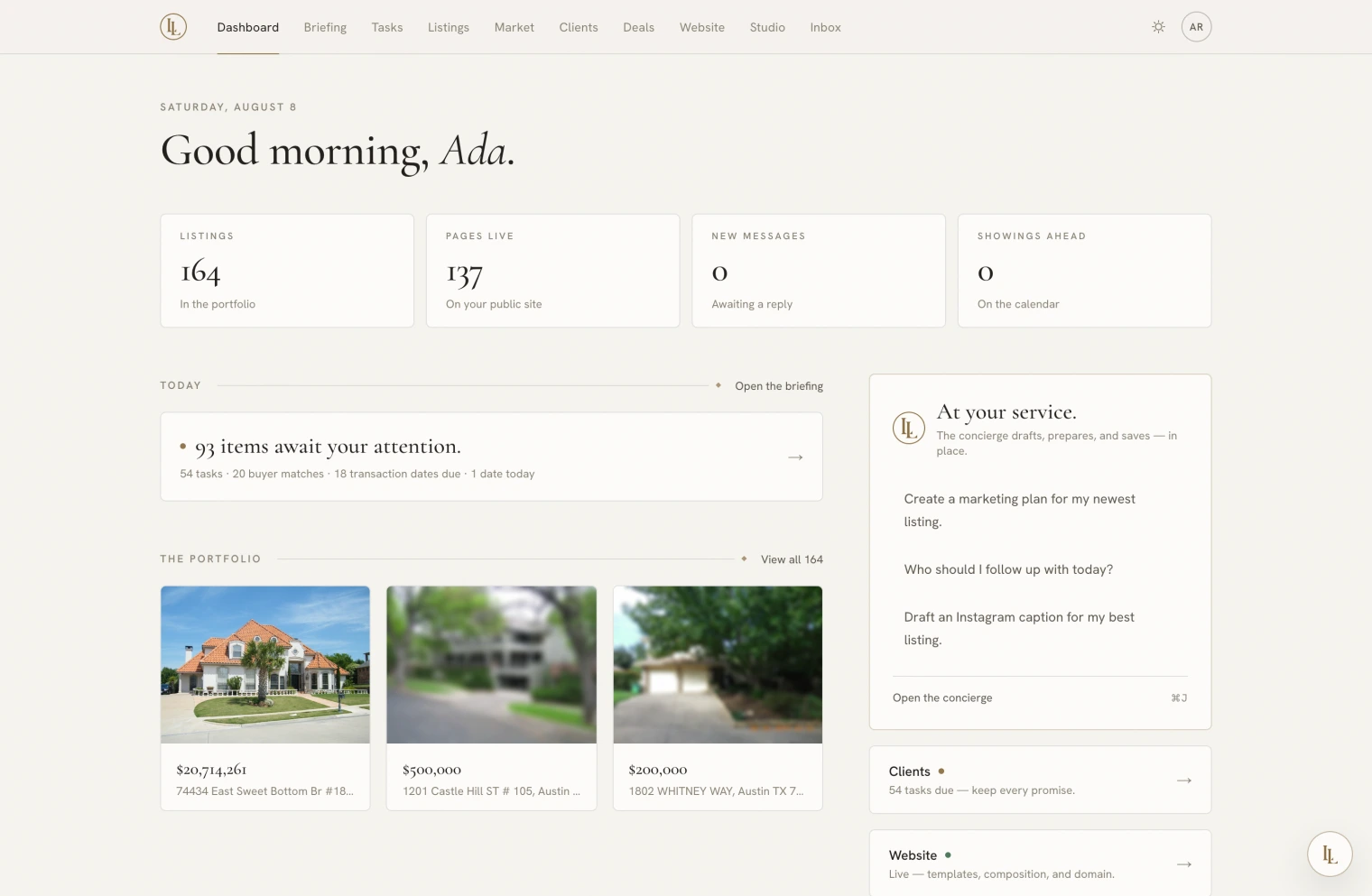
| Dashboard | The calm view. One summary card for today, and quiet cards for anything live. |
| Briefing | Everything that wants your attention this morning, in sections. |
| Tasks | Open work — yours and the work your playbooks staged. |
| Listings | The portfolio — your own properties. |
| Market | Everybody’s properties. Search, comparables, and area reports. |
| Clients | The relationship book. |
| Deals | The board, and a page for each representation. |
| Website | Your public site. |
| Studio | Branded marketing pieces. |
| Inbox | Lead conversations, showing requests, and Elle’s calls and texts. |
Inbox shows a count when something is unread or a showing is waiting on you.
The account menu
Your initials, top right. Less-frequent rooms live here so the main bar stays short:
- Operations — only visible to Luxury Lab staff.
- Agency — only if you are a principal of a brokerage account.
- Recruiting — the agent attraction desk.
- Brand — your profile and your look.
- Memory — the standing notes Elle carries about you.
- Integrations — calendar, email, and outside CRMs.
- Sign out.
Your role sits in this menu as a small pill — Owner, Admin, or Member. The pill is also the button: click it to open workspace settings.
If you belong to more than one workspace, they are listed at the top of the menu. Switching changes everything — listings, clients, website — and it sticks until you switch back.
Elle, everywhere
The circular mark at the bottom right of every page opens the concierge drawer. ⌘J (or CtrlJ) does the same thing.
The drawer follows you as you move around the app, so a conversation is never interrupted by opening another page. There is an expand control in its header when you want more room. See Elle.
Two rooms
The whole app can be worn in two palettes. Change rooms from the account menu.
| Room | What it is |
|---|---|
| Gallery | Warm ivory and ink. Daylight. |
| Study | The navy, ivory and gold of the Luxury Lab mark itself — not a cold grey dark mode. |
Your choice is remembered on that browser. If you never choose, the app follows your computer’s light or dark setting.
These documentation pages carry the same two rooms on the switch in the header. Both are described in the internal brand guidelines.
Keyboard
| Keys | Does |
|---|---|
| ⌘J | Open or close Elle |
| ⌘↵ | Send, in most composers |
| Esc | Close the open drawer, menu, or card |
Widths and reading
Pages share one width so the chrome and the content always line up. A few surfaces are deliberately narrower — conversation transcripts and single-card forms — because a long line of text is harder to read than a short one.
If something looks stale
The app refreshes the page you are on whenever Elle saves something, including from another browser tab. If a figure looks wrong after an unusual amount of activity, reload once; nothing is lost by doing so.