Tasks
Everything still to do in one place — what you added, and what the app lined up for you. Two views, and one-click actions on every row.
The board
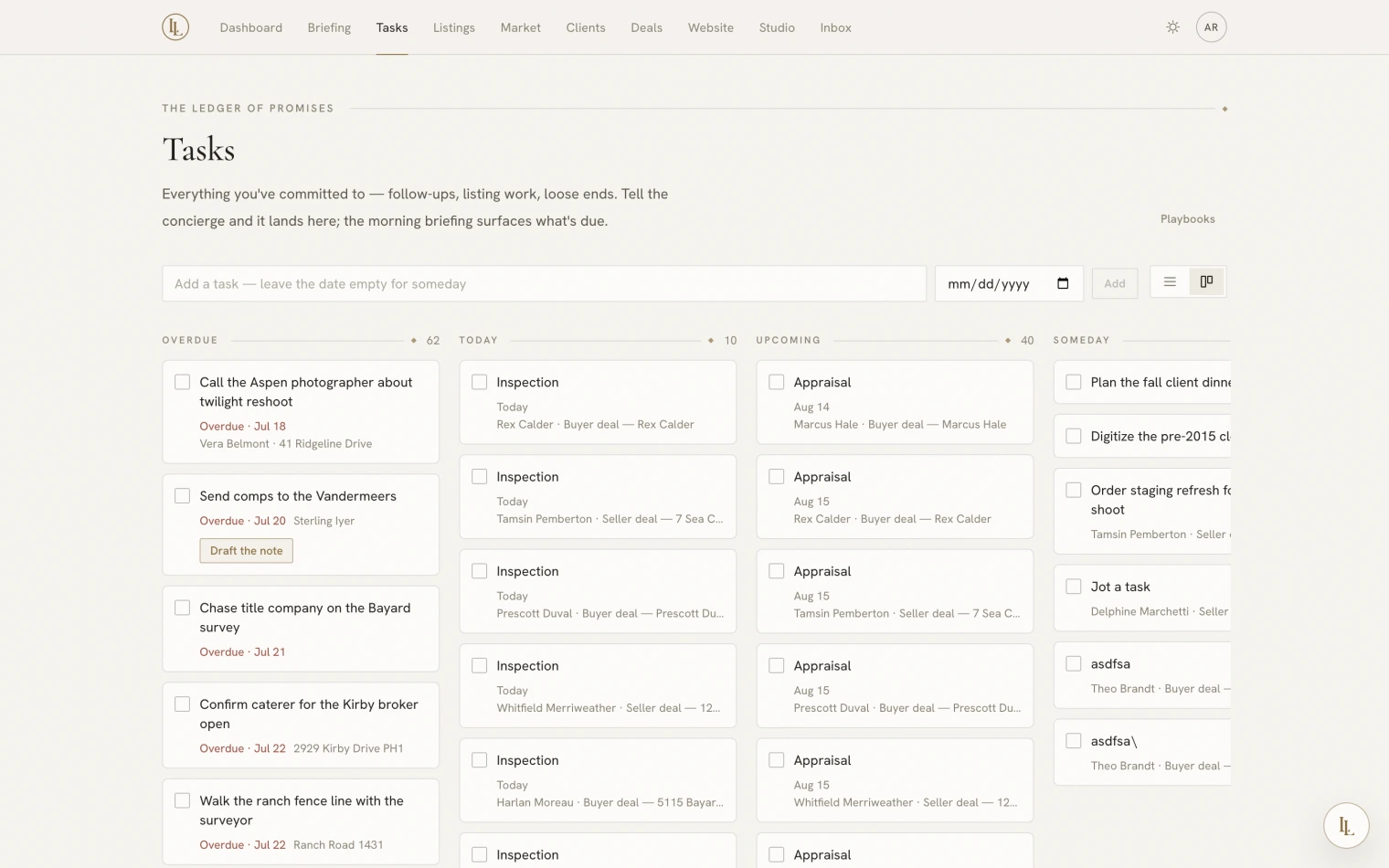
Open Tasks. Work is grouped into five bands:
- Overdue — past its day.
- Today
- Upcoming — dated, not yet due.
- Someday — no date. A real state, not a failure to pick one.
- Recently done — so you can see what you cleared, and reopen a mistake.
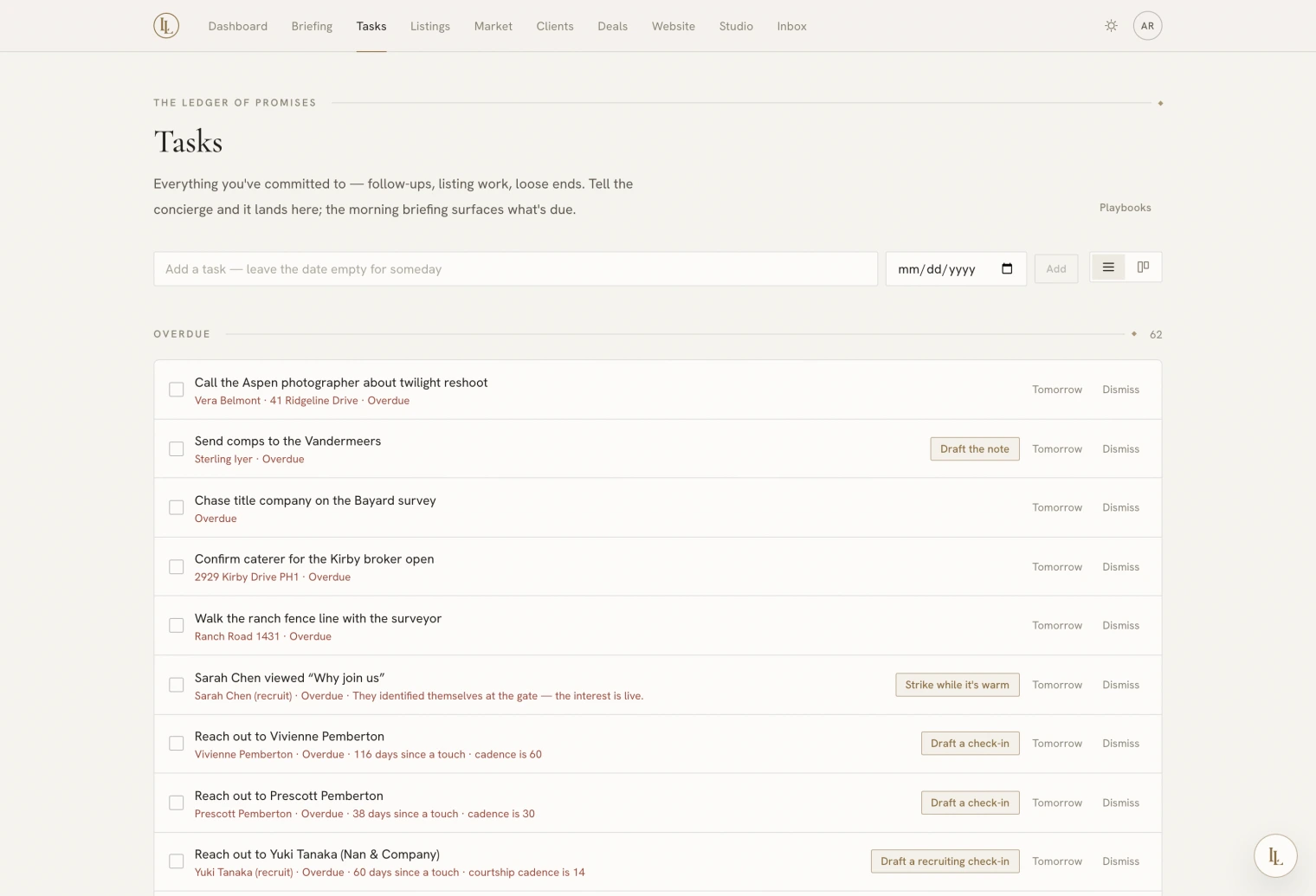
A List / Board toggle sits in the header. List is a dense reading column; Board is columns of cards. Your choice is remembered on that browser.
Adding one
The composer at the top takes a title and, optionally, a day. That is all.
Or ask Elle: “Remind me to send the Ridgewood comps on Thursday.” Tasks she creates are marked as hers so you can see where a thing came from.
The task card
Click any row or card to open it. Everything about the task is editable here.
- Title and notes save as you leave the field.
- Due day chips: Today, Tomorrow, Next week, Someday, or pick a date. Snoozing is simply moving the day — there is no hidden snooze state that surprises you later.
- Regarding — what the task is about. A task can be attached to a client, a deal, a property and a recruit all at once, and each attachment opens a disclosure with the relevant part of that record, so you do not have to go and look. Attach and detach them whenever; nothing is fixed at creation.
- The action chip, if the task carries one, hands the work to Elle.
- History — who created it, every reschedule, every edit, and who completed it.
The open card puts its id in the address bar, so a task is a shareable link. It is the same card everywhere — on a deal, on a client’s file, or here.
Done, tomorrow, dismissed
Three different things:
- Done — completed. Moves to Recently done; can be reopened.
- Tomorrow — moves the date. Still open.
- Dismiss — will not do. Distinct from done, and it is how you tell a playbook or an automatic reminder to stop suggesting something.
Dismissing an automatically-generated task — say, a reminder that a client has gone quiet — suppresses that reminder for that person permanently. Completing it lets it come back after a fortnight. Use dismiss when the answer is never, and done when the answer is handled for now.
Where tasks come from
| Source | Means |
|---|---|
| You | The composer, or the quick-jot on a client or deal |
| Elle | Anything you asked her to remind you about |
| A playbook | A staged step that has come due |
| A nurture plan | A task step inside a client drip |
| A transaction step | Inspection, appraisal, closing — see below |
| A proof link | Someone you sent a marketing piece to has answered |
| The app itself | Standing reminders — most often a client drifting past their follow-up rhythm |
Transaction dates are tasks too
The steps of a deal — earnest money, inspection, appraisal, financing, final walkthrough, closing — are tasks with dates on them, filed under that deal. So they get everything on this page: the same card, the same history, the same Regarding, the same one-click reschedule.
They are kept out of the ordinary task rails in your morning briefing, because the briefing gives them a section of their own. Nothing is read to you twice. See Transaction dates.
Tasks on other pages
The same tasks appear where they are relevant: on a client’s file, on a deal, in the morning briefing, and on the dashboard’s summary. Completing one anywhere completes it everywhere.