What she can do
Everything she can do, grouped by area, with phrasing that works. All of it is available in the app, over text, and on a call.
You do not need this vocabulary — plain sentences work. This page exists for the moments when you want to know whether a thing is possible at all.
Listings
- “Add a listing at 14 Ridgewood Lane, Houston, four bed, three bath, asking two point one five.” She gathers whatever she still needs in one round of questions, then creates it.
- “Add these photos to the Ridgewood listing” — with photographs attached, or texted to her.
- “What’s the asking on Ridgewood?” · “List everything under three million.”
- “Change the price to two point zero five.” · “Revert the description to the MLS copy.”
- “Publish the Ridgewood page.” — asks first.
- “What’s the lockbox code at Ridgewood?” — the private details, which is why this one works from the car.
- “Who should see this?” — matches your buyers against the listing.
- “Schedule an open house at Ridgewood Saturday one till three.”
MLS-fed listings cannot be created or deleted by hand; the feed owns them. She can edit them, and your edits survive every sync.
The market
- “What’s for sale in Montrose between eight hundred and one point two?”
- “Run comps on 4400 Alderwyn Reach — fifty-two hundred square feet, five beds.”
- “Save that as an analysis for the Ellisons.”
- “Build me a market report on 78704, last six months.”
- “Which feeds am I on?” — so she can explain what a feed will and will not do, and whether your brokerage has entered your MLS id yet.
Every figure she gives you here is computed by the app. She reads it back; she never produces a valuation of her own. See Comparable sales.
Clients
- “Add Marcus Webb, buyer, marcus@… , looking in Montrose up to one point two.”
- “Met Sarah for coffee, she’s still thinking about the Heights.” — logs the touch and the substance.
- “Brief me on Marcus.” — history, deals, what he’s looking for, what is due.
- “Who haven’t I spoken to in a while?”
- “Follow up with Marcus Friday.”
- “Draft a follow-up to Marcus.”
- “Draft a letter to my past clients about the autumn market.” — she writes it and shows you who it would go to. Sending is your click.
Deals
- “Open a deal — Marcus, buy side, one point one five.”
- “Move the Webb deal to under contract.”
- “Inspection is the 12th, closing the 30th.” — sets the transaction dates, which is also what launches the under-contract checklist.
- “What’s the timeline on the Ellison deal?” · “The appraisal is done.”
- “What’s still out for signature?” — across every deal, if you do not name one.
- “Rename the buyer stages the way I say them.”
The inbox
- “What’s waiting on me?”
- “Read me the thread with the Ridgewood enquiry.”
- “Draft a reply.” — the draft lands in the composer on that conversation. She cannot send it. That is deliberate.
- “Confirm the Saturday showing.” · “Decline it, offer Sunday.”
- “What’s my lead intake address?”
Marketing and the Studio
- “Write the announcement email for Ridgewood.”
- “Write the listing narrative.” · “Write me a launch pitch.”
- “Make a just-listed post for Ridgewood.”
- “Design me a market minute card for the Heights.”
- “Make the headline bigger and drop the phone number.” — while you have a piece open.
- “Write the narration for this film.”
- “How are my pieces doing?” — QR scans, so the answer comes from data.
- “Show me photographs from the Collection for a market report cover.”
- “Save photo 1 to my library, call it ‘Heights streetscape’.”
Your website
- “What’s on my site?”
- “Add a testimonials section.” · “Move the gallery above the listings.”
- “Make the tone warmer.”
- “Write me an about page.” · “Write a blog post about the Q3 Heights market.”
- “Publish the site.” — asks first.
Section edits apply to the Custom design. If you are on one of the fixed templates she will say so rather than switching your design out from under you.
Tasks and playbooks
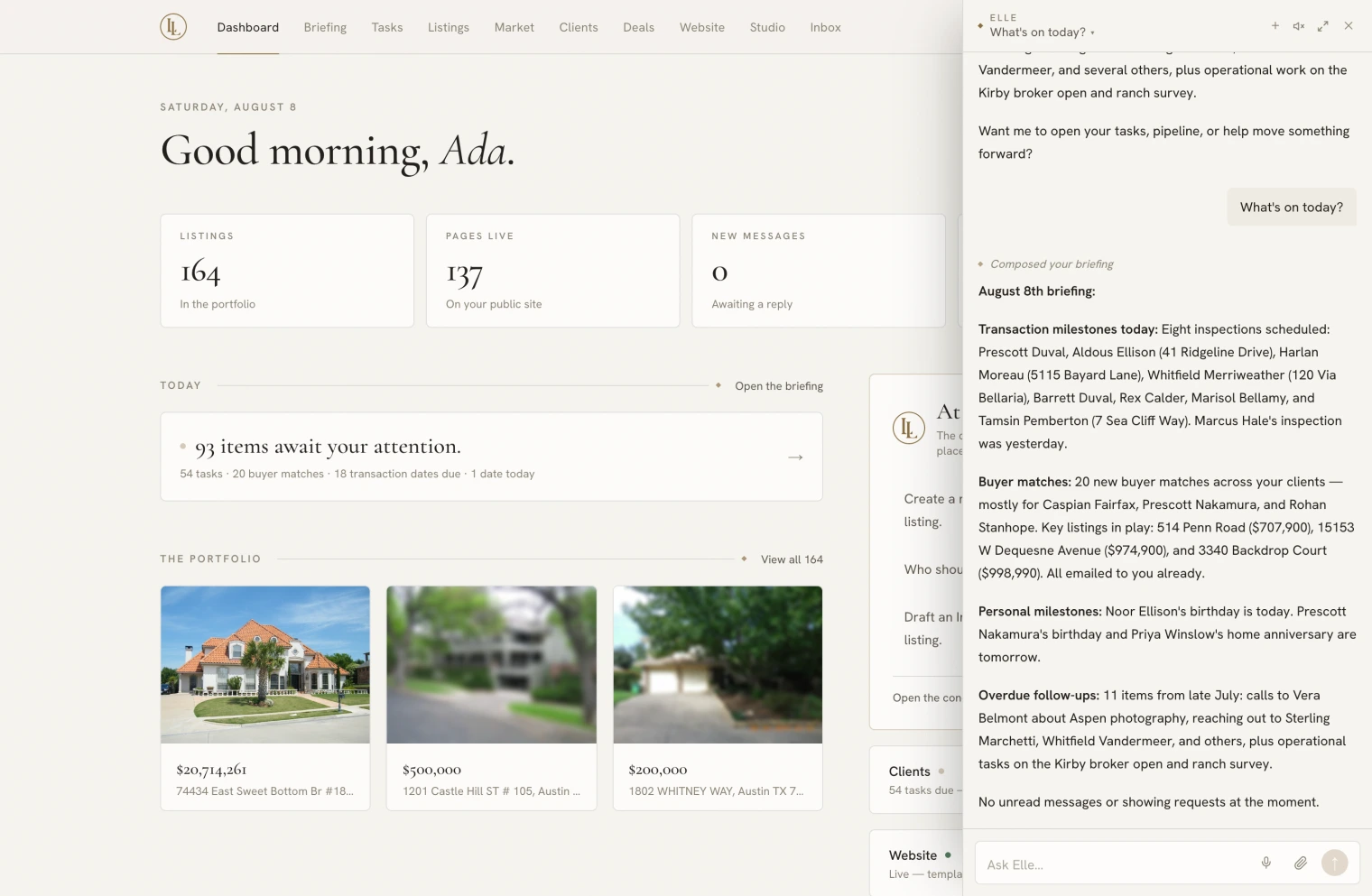
- “What’s on today?”
- “Remind me to call the Ridgewood sellers Tuesday.”
- “Done.” · “Push it to tomorrow.” · “Drop it.”
- “What playbooks do I have?” · “Start the listing launch on Ridgewood.”
- “Build me a playbook for open house follow-up.” — she writes the whole thing.
Your brand, and what she remembers
- “Use this as my headshot” — with a photograph attached or texted.
- “Change my tagline to …” · “Set my brokerage to …”
- “Remember I sign off ‘Warmly, Ada’, never ‘Best’.” — see What she remembers.
- “What do you remember about me?” · “Forget the bit about Sunday showings.”
Your workspace
- “How did we do this month?” — the workspace insight figures. Owners and admins only.
- “Invite jamie@… as an admin.” — asks first.
- “What’s my billing?” — owners only.
Recruiting
The recruiting desk requires a Signature membership. The tools stay visible on other plans but decline politely rather than failing silently.
- “Met Sarah Chen at the Compass event, add her as a recruit.”
- “Log a coffee with Sarah.” · “Move her to engaged.”
- “Draft a recruiting check-in for Sarah.”
What she deliberately cannot do
Every one of these is a decision, not a gap.
- Send email to a lead, or send a letter to your book. She drafts; you send.
- Mark a contract signed. Falsifying the record of a legal instrument is not something an assistant should be able to do.
- Set up an MLS feed, or turn lead intake on or off. Feeds are the brokerage’s to connect, on the agency desk; credentials and routing addresses belong on a settings screen, not in a chat transcript.
- Tick off your setup checklist. A tool that could silence it would be a tool for hiding an unfinished account.
- Delete your workspace, or remove your last owner.
- See another workspace. If you belong to several, she only ever works in the one you are in.
- Read your private client notes into anything that goes out. The notes field on a client’s file is excluded from every draft she writes.
- Invent a fact about your market, your listings, or your credentials. Testimonials, awards and statistics have to come from you.