Contracts and documents
A short ledger of what paper exists on a deal, where each piece stands, and who has still not signed. It holds the record, not the file.
Deals → a deal → Documents.
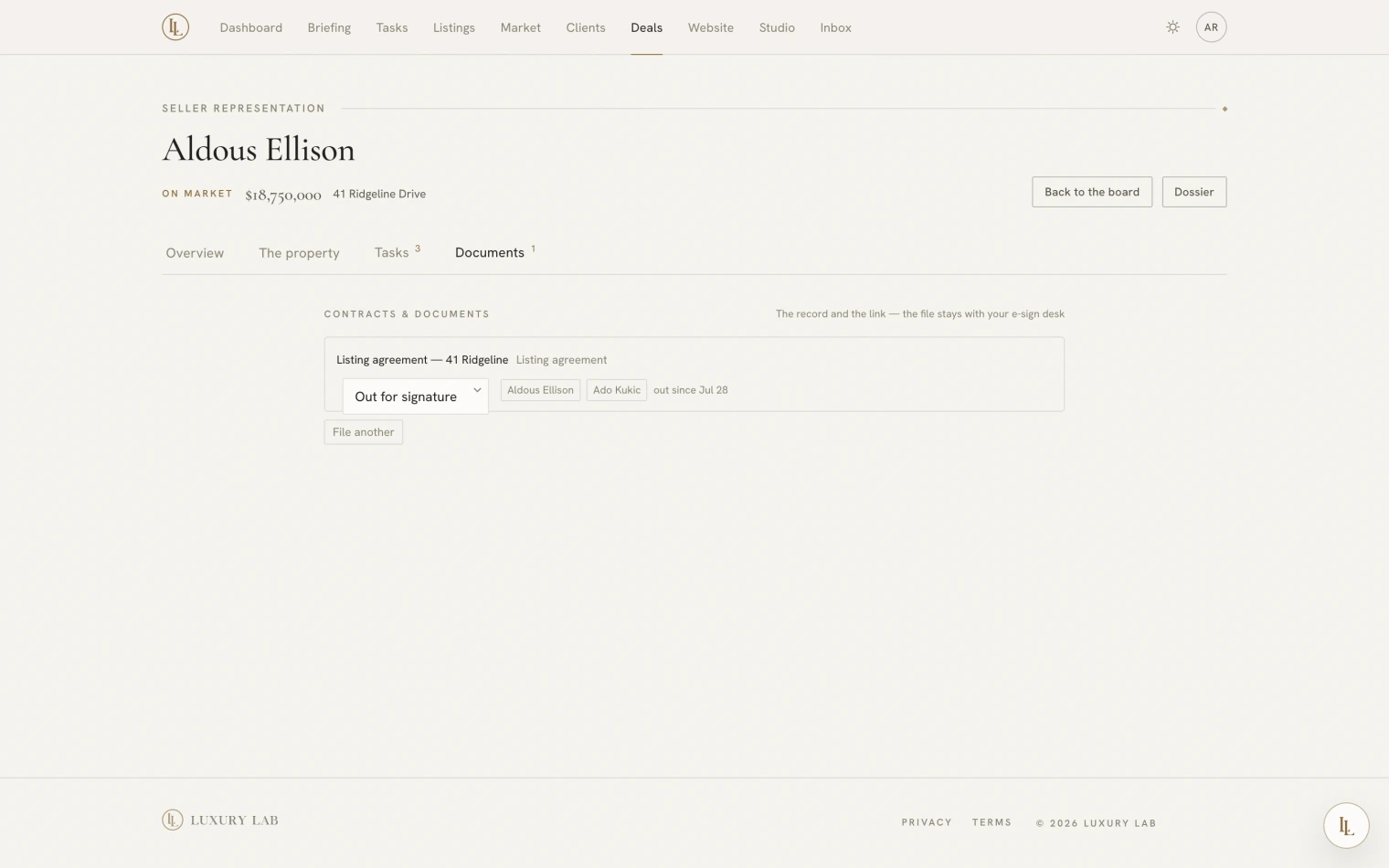
What a row holds
| What it is | Listing agreement, purchase agreement, disclosure, addendum, and so on |
| Where it stands | Draft · Out for signature · Partly signed · Completed · Void |
| Who signs | Each person, their part in it, and whether they have signed |
| A link out | To wherever the document actually lives |
File another adds a row. The picker opens on the kind of paper that side of a deal usually starts with.
The file itself stays where it is
This is a ledger, deliberately. The contract lives in your e-signature service — DocuSign, Dropbox Sign, whichever you use — and the row here carries a link to it.
A purchase agreement needs custody rules that a marketing photograph does not, so rather than half-doing that, the app tracks the state of your paperwork and sends you to the right place for the document itself. What it gives you is the answer to “what is still out?” across every deal, at a glance.
Elle can tell you what is outstanding, on any channel — “what’s still out for signature?” works from the car. She cannot mark anything signed. Falsifying the record of a legal instrument is not something an assistant should be able to do, so the ability simply does not exist.
When everything is signed
Marking a document Completed is a moment the app notices: a playbook can be set to start when a contract is signed. That is how the post-signature checklist begins without anybody remembering to start it.
Asking Elle
What’s outstanding for signature?
What paperwork is on the Ellison deal?
With no deal named, she sweeps every open deal — the fastest way to find the disclosure that has been sitting unsigned for a fortnight.