Deals
Every representation you are working, on a board you can drag — and behind each card, a page where the deal is actually worked.
A deal is one representation: this client, this side, this property. Deals in the top bar opens the board.
The board
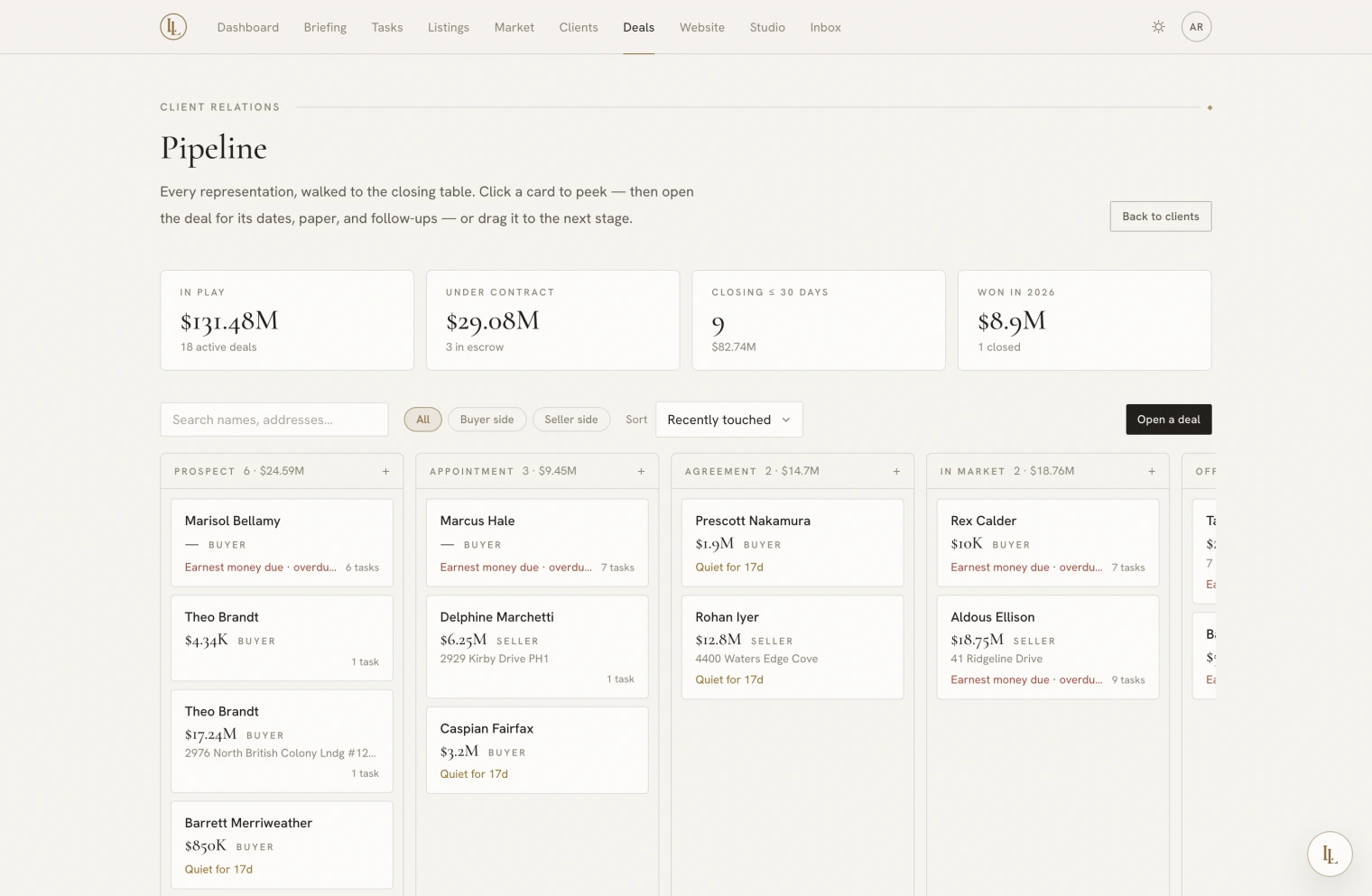
A line of figures across the top — in play, under contract, closing within thirty days, won this year — then columns by stage.
Each card shows the client, the price, the side, the address, and one line telling you what matters most about it right now, chosen in this order:
- A date that has passed
- The next date coming up
- “Set the transaction dates” — under contract with no dates yet
- The expected close
- “Stale” — nothing has moved in a fortnight
Plus a count of open work.
Drag a card to move it between stages. While you are dragging, Won and Lost appear above the columns.
Click a card for a quick look — where it stands, the next date, open tasks, documents out for signature — without leaving the board. Nothing changes by opening it. From there, open the deal itself.
The deal page
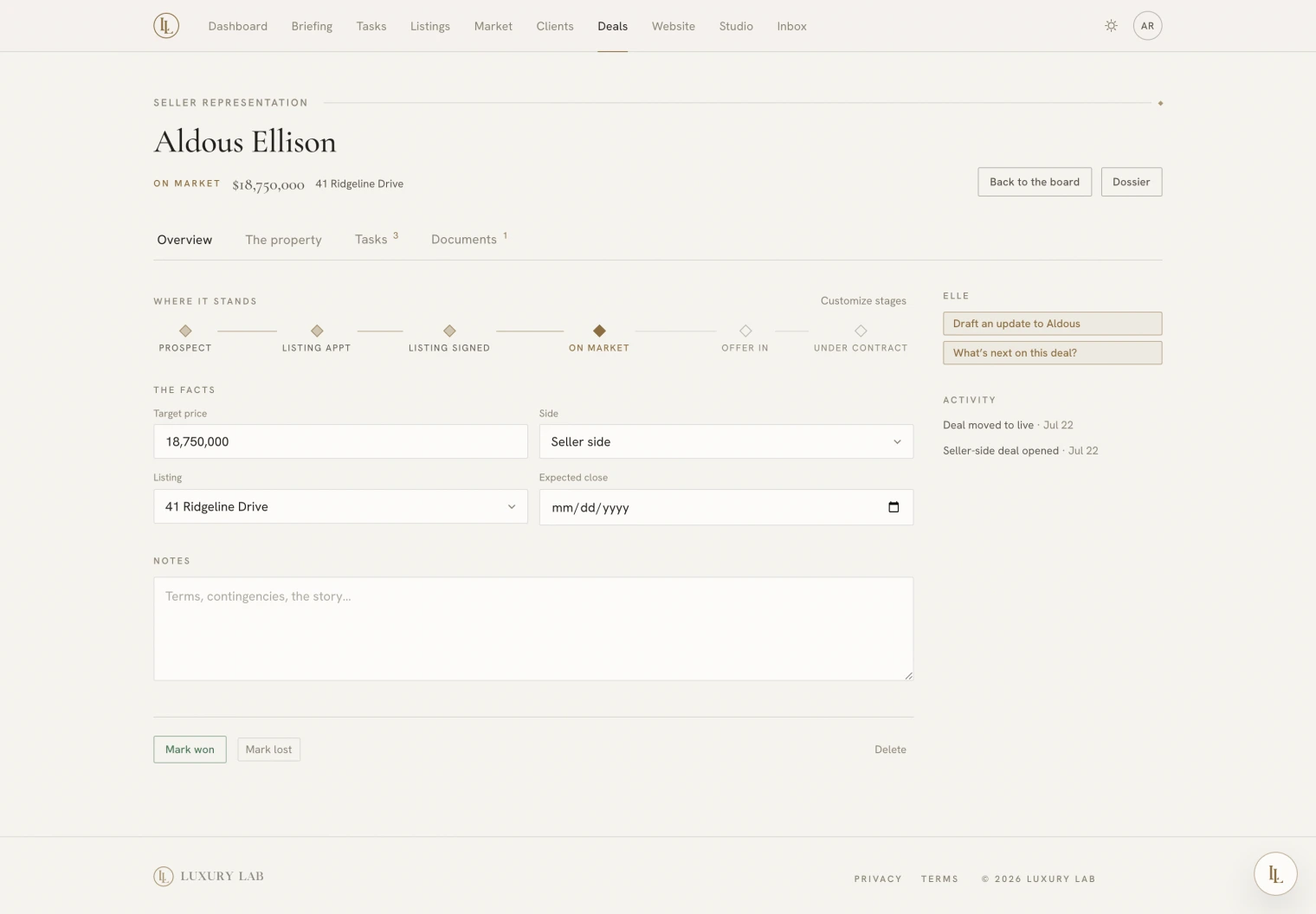
Four tabs. The middle one changes depending on which side you are on, because a listing and a buyer search are not the same job.
| Tab | Holds |
|---|---|
| Overview | Where it stands, the facts, your notes, and won/lost |
| The property (seller) | The listing, its interest, showings, buyer matches, saved comparables |
| The search (buyer) | What they are looking for, and what is on the market that fits |
| Tasks | Everything to do on this deal, dates included |
| Documents | What paper exists and who still owes a signature |
Where it stands
The stage rail across the top. Click a stage to move the deal there.
Customize stages lets you rename the stages in your own words and hide the ones your process does not use — separately for buyer and seller work. If you say “touring” rather than “showing homes”, say it. The stage a deal is currently in can never be hidden.
This changes what you read, not how the app thinks. Board columns, reports, and your playbooks keep working exactly as before.
The facts
Price, side, the linked property, expected close, and notes — all edited in
place. Price shorthand works: type $5m.
Your notes here are private working notes. Elle reads them when she is helping you think about the deal, and she never puts them into anything that goes out to a client.
The property, for a seller
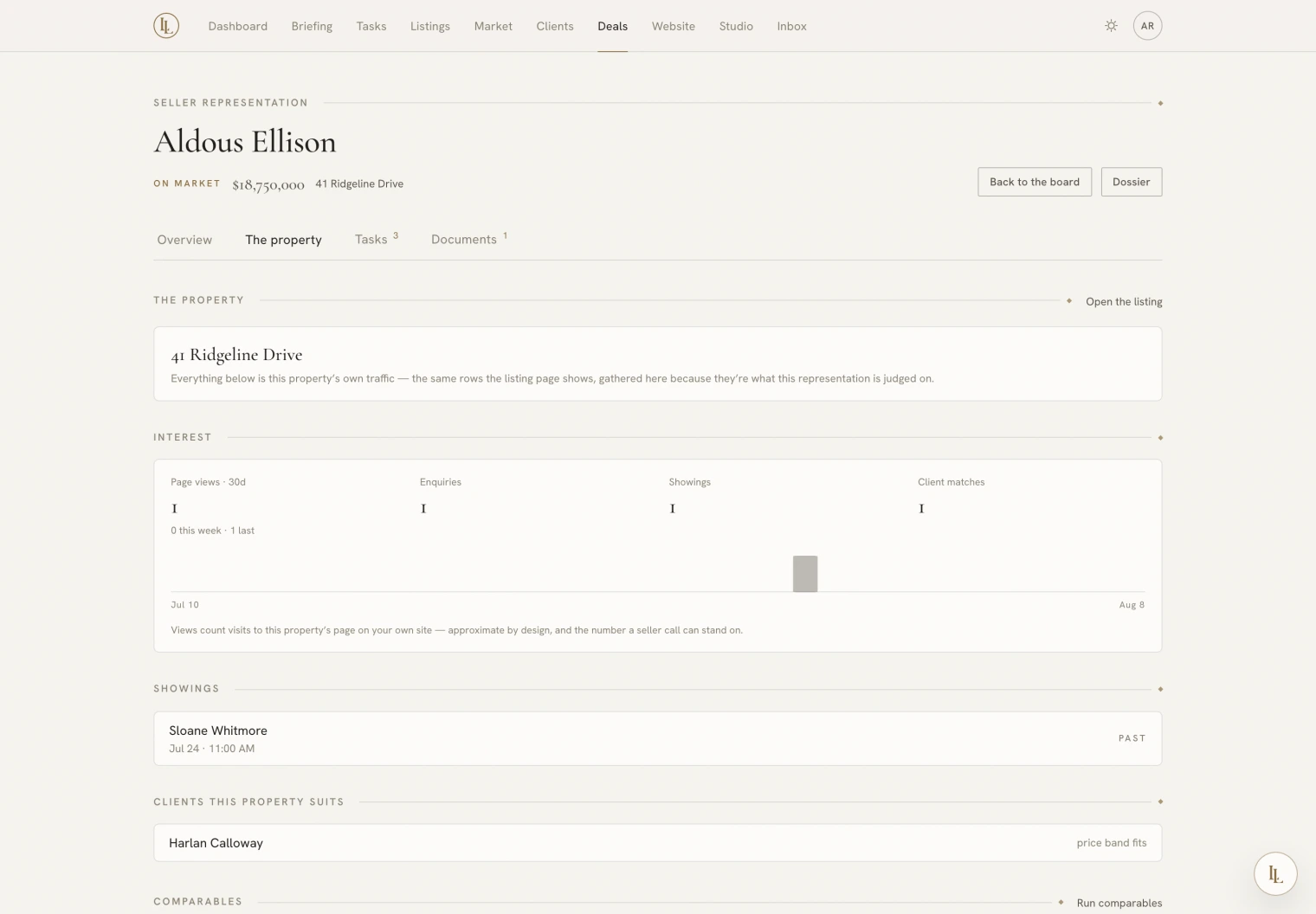
- Interest — page views on your own site over the last thirty days, plus enquiries, showings and matched clients. Views are approximate and the page says so; nobody is identified.
- Showings — what is booked and what has been.
- Clients this property suits — from your own book, with the reason.
- Comparables — analyses saved against this property, and a button to run fresh ones.
The search, for a buyer
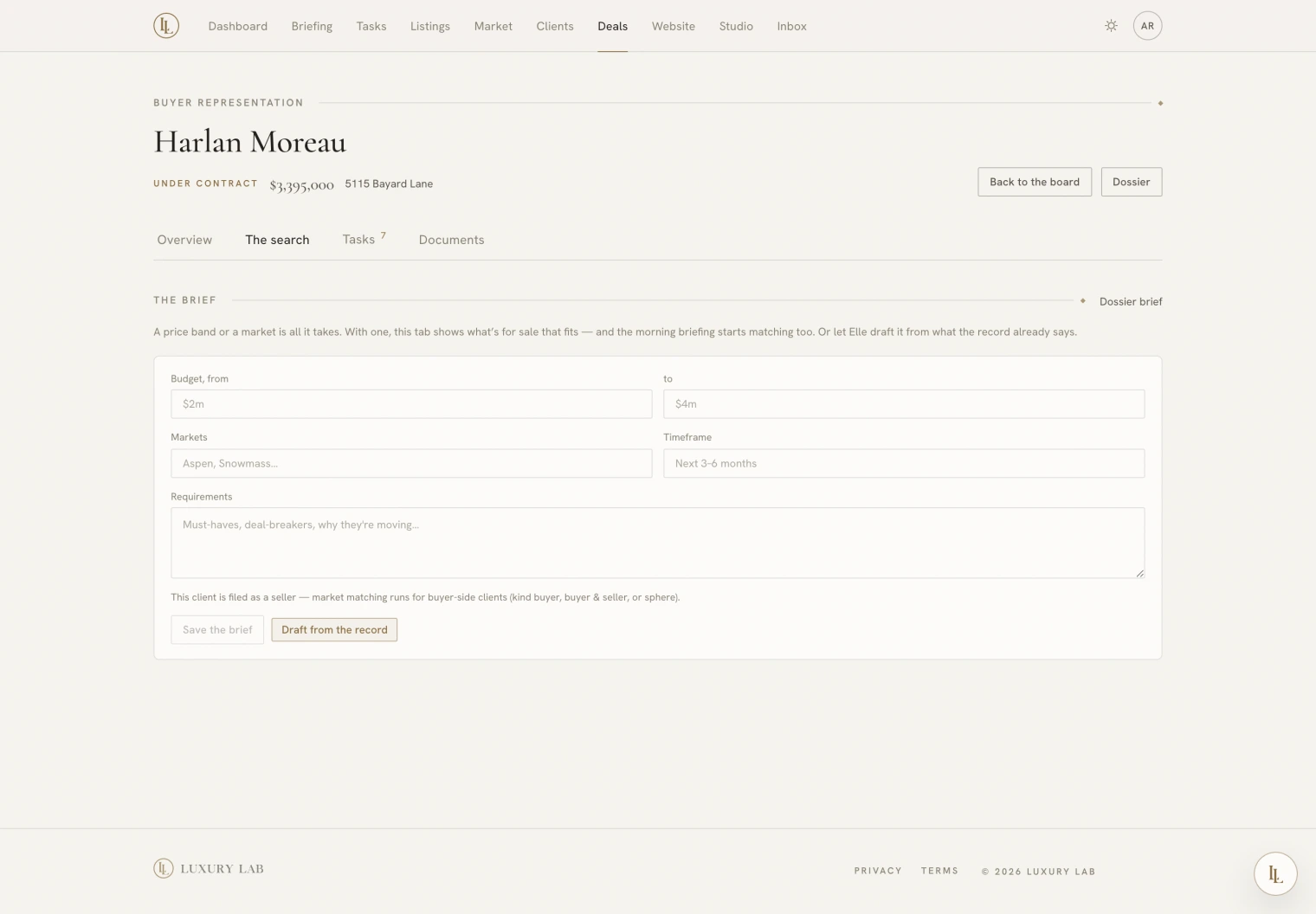
What they want — price band, areas, timing, and the notes that do not fit in a field — edited right here. Draft from the record reads their file and stages a written brief for you to check; it never saves on its own and never invents a preference they did not state.
Below it, what is on the market that fits, computed live.
Asking Elle
Open a deal — Marcus, buy side, one point one five.
Move the Ellison deal to under contract.
What’s next on the Ellison deal?
Won and lost
Mark won or Mark lost from the Overview. A lost deal can carry a reason, which is appended to the notes. Closed deals move to a dated list below the board — out of the way, still reachable.