Brand and profile
Who you are and what your work looks like. Set once, inherited by your website, your listing pages, your documents, your marketing pieces, and the emails your clients receive.
Account menu → Brand. Two tabs.
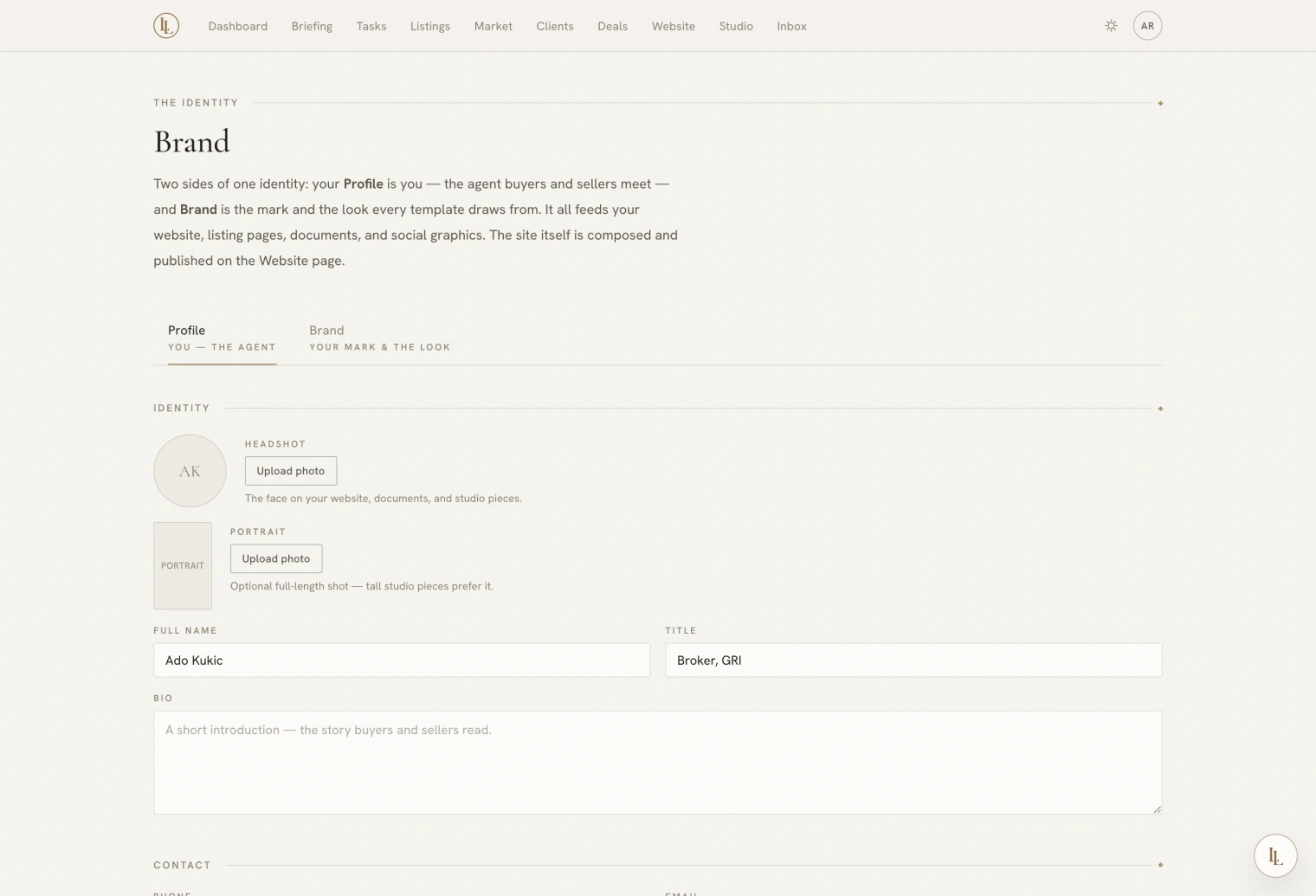
Profile — the agent
Who your clients see.
| Field | Where it shows |
|---|---|
| Name, title | Every public page, every document, every piece |
| Headshot | Documents, social pieces, contact page |
| Portrait | A full-length shot, used by the taller graphic formats as an editorial plate |
| Bio | About sections and contact pages |
| Phone, email, website | Contact blocks and document footers |
| Brokerage, licence number | Compliance lines |
| Social handles | Eight fields — Instagram, LinkedIn, Facebook, X, YouTube, TikTok, Zillow, Realtor |
Social handles take either the bare handle or the full URL; both work.
The profile is the workspace’s public agent, not a per-person setting. If two people share a workspace, they share one public identity. Separate identities means separate workspaces.
Brand — the mark and the look
| Field | Does |
|---|---|
| Logo | Used wherever a mark is wanted. Falls back to your name in small caps |
| Tagline | Under the mark on several surfaces |
| Primary colour | The dominant accent across your public surfaces |
| Accent colour | The secondary — rules, marks, small emphasis |
| Display typeface | Headings, prices, titles |
| Body typeface | Everything else |
Typefaces come from a curated set — they are chosen to pair well and to render correctly in print documents and image exports, which not every web font does.
Brand kits
Beyond your base palette you can keep named palettes — a seasonal one, one for a particular development, one a brokerage requires. A marketing piece can be pinned to a kit, and it keeps that look even if your base brand changes later. Deleting a kit never breaks a piece; the piece falls back to your base brand.
Photographs
Headshot, portrait, and logo upload directly. Images are resized in your browser first, so a large file is fine. PNG logos keep their transparency.
Elle can set them:
[photo] use this as my headshot
That works over text, which is the easiest way to update a headshot from a phone.
The concierge line
Also on the Profile tab: the card that verifies your mobile number so Elle answers your texts and calls. See By text and phone.
What inherits your brand
Everything public and everything printed:
- Your website, all five surfaces
- Every listing page
- All ten listing documents
- The announcement email
- Every Studio piece
- Nurture emails and lead replies
- The link previews when a page is shared
Change a colour here and all of it follows.
What does not
The app’s own chrome — the navigation, the buttons, the dashboard — stays in the Luxury Lab design language, in whichever room you have chosen. Your brand is for your clients; the workshop stays the workshop.